The benefits of digital signage in the workplace go far beyond replacing paper notices with screens. Modern workplaces run on information, yet most of that information lives inside tools that employees rarely open at the right moment.
Dashboards sit unviewed, announcements get buried in email, and important updates depend on people remembering to check an app. Workplace digital signage solves this by putting the right information in front of teams exactly where they work, all day, without asking anyone to click anything.
What Is Workplace Digital Signage?
Workplace digital signage is a network of connected screens placed across offices, production floors, break rooms, lobbies, and shared spaces, all managed from a central cloud-based platform. These screens display live content such as company announcements, KPI dashboards, project status boards, schedules, safety information, and recognition messages.
Unlike consumer-facing digital signage used in retail or advertising, workplace signage is an internal communication and operational visibility tool. Its audience is employees, visitors, and on-site teams, and its purpose is to keep everyone informed and aligned without adding another app to check.
Why the Benefits of Digital Signage in the Workplace Matter Now
Three shifts have made workplace screens more valuable than ever:
- Hybrid and multi-location work has fragmented communication. Teams in different offices, time zones, and shifts rarely receive the same message at the same time.
- Data lives in too many tools. Metrics sit inside BI platforms, ticketing systems, and project trackers that most employees do not open daily.
- Attention is scarce. Email open rates for internal communication remain low, and chat messages disappear within minutes.
Data only creates impact when people actually see it. That is the core problem digital signage solves. It acts as a visibility layer for modern operations, not just a screen on a wall.
10 Key Benefits of Digital Signage in the Workplace
1. Improves Internal Communication
Digital signage lets companies share updates, announcements, and policy changes instantly across every office and team. A message published once from a central dashboard appears on every screen within seconds, which removes the lag and inconsistency of email chains and word-of-mouth updates.
2. Increases Employee Engagement
Dynamic, visual content is far more noticeable than static posters or intranet pages. Rotating content, motion, and live data draw the eye naturally, which means employees absorb company messages passively throughout the day rather than ignoring another notification.
3. Keeps Key Metrics Visible
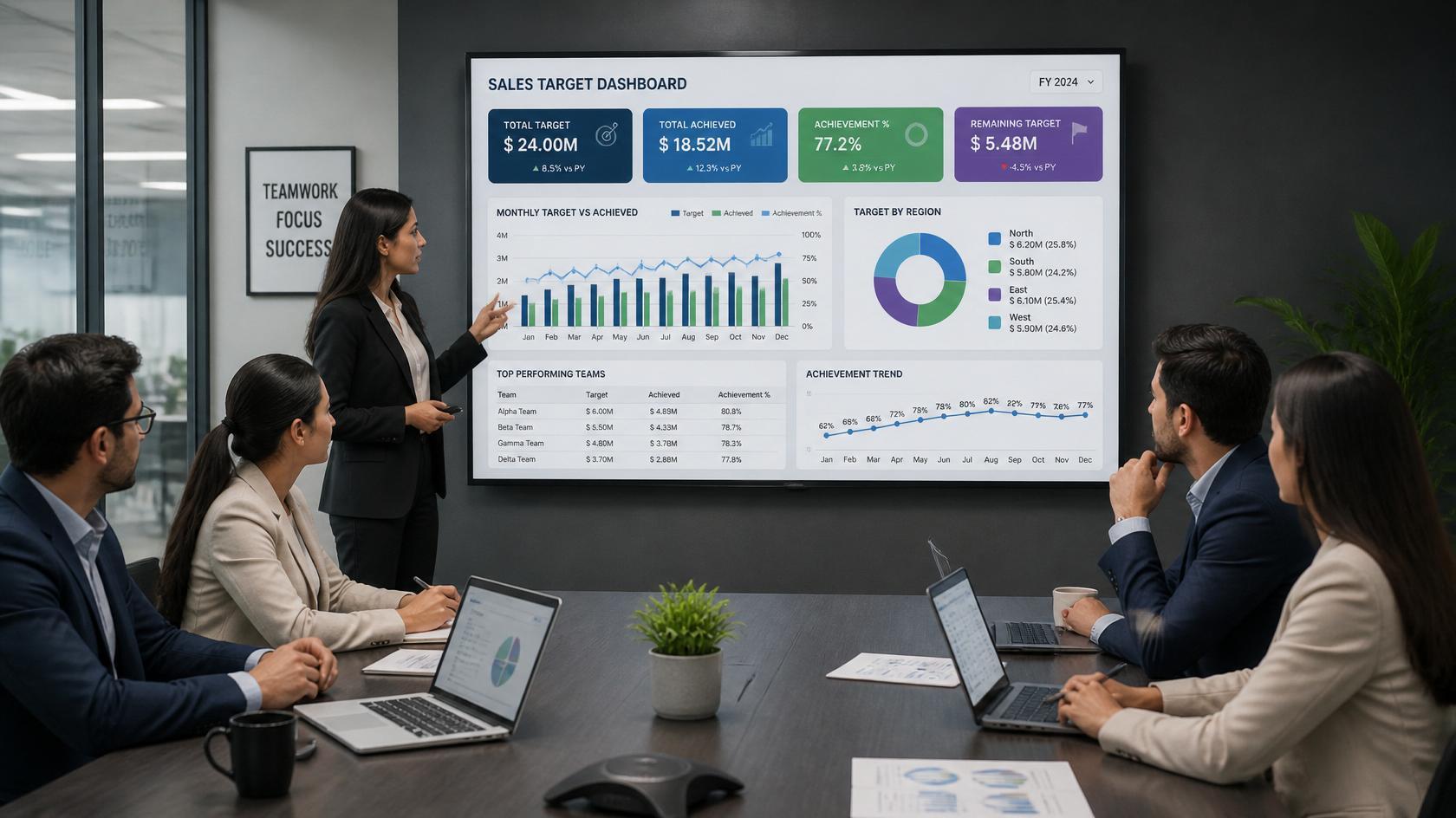
Screens can display KPIs, sales targets, support queue status, and performance dashboards pulled directly from tools like Power BI, Salesforce, Jira, or Zendesk. When teams see progress in real time, goals stop being abstract quarterly numbers and become part of the daily working environment.
4. Supports Faster Decision-Making
When operational data is visible the moment it changes, managers and teams can react immediately instead of waiting for weekly reports or scheduled meetings. A spike in support tickets, a dip in production output, or a missed SLA becomes actionable within minutes.
5. Reduces Communication Gaps
Digital signage unifies messaging across departments and locations so everyone sees the same information at the same time. This is especially valuable for frontline and deskless workers who do not sit in front of email all day and are often the last to hear important updates.
6. Boosts Productivity
Teams spend less time chasing updates when schedules, reminders, meeting room availability, and operational information are displayed where people already work. Fewer status meetings, fewer "did you see my email" follow-ups, and fewer interruptions add up to meaningful time savings.
7. Strengthens Workplace Culture
Screens are a natural stage for celebrating wins. Highlighting achievements, company values, birthdays, work anniversaries, and peer recognition builds a more connected team, particularly across offices where employees may never meet in person.
8. Improves Visitor and Employee Experience
Wayfinding displays, office directories, welcome messages for visiting clients, and lobby content make workplaces easier to navigate and more professional. First impressions matter in B2B environments, and a well-designed lobby screen signals an organized, modern company.
9. Saves Time and Printing Costs
Every printed poster, notice, and schedule eventually becomes outdated and must be reprinted and redistributed. Digital signage removes that cycle entirely. Content updates take minutes, cost nothing to distribute, and never sit outdated on a wall.
10. Scales Across Hybrid and Multi-Location Teams
Cloud-based digital signage platforms update hundreds of screens across multiple offices from a single dashboard. Regional teams can manage local content while headquarters controls global messaging, which makes signage practical for companies of any size and structure.
The Business and Operational Impact
Individually, each benefit above saves time or improves awareness. Together, they change how information flows through an organization:
- Communication becomes push-based instead of pull-based. Employees no longer need to seek information; it finds them.
- Metrics become ambient. Teams internalize goals because they see them constantly, not because someone presented them once a quarter.
- Alignment improves without meetings. Shared visibility reduces the need for status updates and check-ins.
- Operational issues surface faster. Real-time dashboards on screens shorten the gap between a problem occurring and someone noticing it.
For IT and operations leaders, the appeal is also practical: a centrally managed, cloud-based signage platform is one system to secure, one system to maintain, and one system to scale, rather than a patchwork of TVs with USB sticks and manual updates.
How to Implement Digital Signage in Your Workplace
A successful rollout follows a clear sequence:
- Define objectives first. Decide whether the priority is internal communication, KPI visibility, culture, visitor experience, or a mix. Objectives determine screen placement and content strategy.
- Map screen locations to audiences. Break rooms suit culture and announcements, team areas suit dashboards, lobbies suit visitor content, and production floors suit safety and operational data.
- Choose a cloud-based platform. Look for centralized screen management, role-based access, secure architecture, and a wide integration library so screens can pull live data from the tools your teams already use.
- Connect your data sources. Platforms with 100+ integrations, such as RocketScreens, let you display live dashboards from Power BI, Salesforce, Google Sheets, Jira, Zendesk, and more without manual exports.
- Build a content calendar. Assign ownership for each content type, define refresh frequency, and rotate content so screens never feel stale.
- Pilot, measure, and expand. Start with a few screens in one office, gather employee feedback, refine the content mix, then scale to additional locations from the same dashboard.
Industry Use Cases
- Corporate offices: Company announcements, KPI dashboards, meeting room schedules, and recognition walls.
- Manufacturing and logistics: Production metrics, shift schedules, safety compliance messaging, and incident-free day counters.
- Healthcare: Staff scheduling, compliance updates, wayfinding for patients and visitors, and internal training reminders.
- IT and SaaS companies: Live support queues, uptime dashboards, sprint boards, and release announcements.
- Financial services: Market data, compliance notices, sales leaderboards, and branch-level performance metrics.
- Education and campuses: Event schedules, emergency alerts, cafeteria menus, and departmental announcements.
Common Challenges (and How to Handle Them)
- Stale content. Screens lose credibility fast when content is outdated. Solve this with live data integrations and clear content ownership, so most content updates itself.
- IT security concerns. Screens connected to business data require secure, enterprise-grade architecture. Choose a platform with encrypted connections, access controls, and centralized device management.
- Content overload. Cramming too much onto one screen means nothing gets read. Limit each screen to one clear message or dashboard at a time and rotate.
- Unclear ownership. Without a designated owner, signage drifts. Assign a content manager per location or department, supported by centralized templates.
- Multi-location inconsistency. Different offices showing different messages defeats the purpose. Cloud-based centralized management keeps global content consistent while allowing local flexibility.
Best Practices for Workplace Digital Signage
- Prioritize live data over static slides so screens stay relevant without manual effort.
- Design for glanceability: large fonts, high contrast, and one idea per screen.
- Match content to location and audience rather than showing everything everywhere.
- Refresh cultural and announcement content weekly at minimum.
- Use scheduling to show different content at different times of day or shift.
- Review engagement periodically by asking employees what they notice and act on.
Mistakes to Avoid
- Treating screens as decoration instead of a communication channel with goals.
- Displaying dashboards nobody has agreed to act on.
- Relying on USB sticks or manual updates instead of centralized cloud management.
- Ignoring frontline and deskless workers when planning screen placement.
- Launching without a content plan and letting screens go dark or stale within a month.
Frequently Asked Questions
What is the main benefit of digital signage in the workplace?
The primary benefit is visibility. Digital signage puts important information, from announcements to live KPIs, in front of employees automatically, which improves alignment, engagement, and decision speed without requiring anyone to check an app or inbox.
Is workplace digital signage expensive to run?
Costs are typically lower than expected. Most deployments use standard commercial displays or existing TVs paired with a cloud-based software subscription. Savings from reduced printing, fewer status meetings, and faster communication often offset the investment quickly.
Can digital signage display live data from our business tools?
Yes. Modern platforms integrate directly with tools like Power BI, Salesforce, Jira, Zendesk, Google Sheets, and Looker Studio. RocketScreens, for example, offers 100+ integrations so dashboards update on screens in real time without manual exports.
How does digital signage help hybrid and multi-location teams?
Cloud-based signage lets one team update screens across every office simultaneously, so all locations receive the same message at the same time. This keeps distributed teams aligned and ensures on-site employees stay as informed as remote ones.
How many screens do we need to get started?
Most organizations start with one to three screens in high-traffic areas such as a break room, a team workspace, and a lobby. Because cloud platforms scale easily, you can pilot small and expand to additional screens and locations from the same dashboard.
Turn Invisible Updates Into Visible Action
Digital signage turns invisible updates into visible action by putting the right numbers, messages, and priorities in front of teams all day. If your dashboards, announcements, and goals are trapped inside tools nobody opens, your organisation is running with less visibility than it should.
RocketScreens provides secure, cloud-based digital signage with centralised screen management, real-time dashboards, 100+ integrations, and multi-location scalability built for enterprise reliability. Book a demo or speak with our team to see how quickly your workplace data and communication can move from hidden to seen.