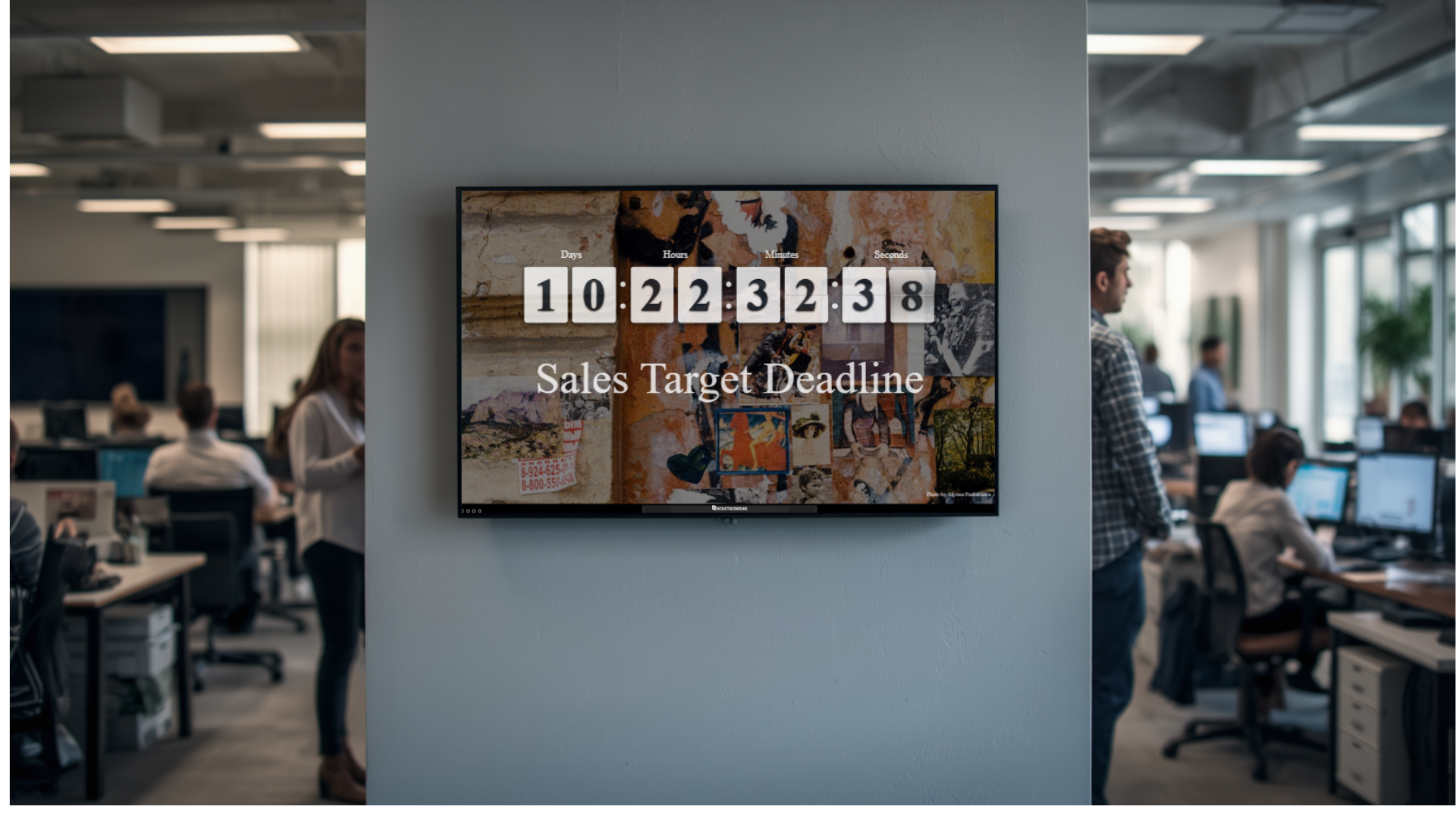
A countdown timer on an office TV does one thing exceptionally well: it makes time visible to everyone in the room at once. When your team can see exactly how many minutes remain before a standup ends, a sprint closes, or a client delivery goes out, they behave differently. Decisions get made faster. Side conversations stop sooner. Deadlines stop being abstract and start feeling real. Displaying a countdown timer on office TV screens is one of the simplest, highest-impact changes a team can make to improve daily discipline.
Why Visible Time Changes Team Behavior
Most workplace time management tools are personal. A calendar reminder fires on one person's phone. A task deadline lives inside a project management tool. Only the person assigned to the task sees it. The rest of the team carries on with no awareness of the pressure.
A countdown timer on a shared screen eliminates that gap. Time becomes a team-level signal, not an individual one. This shift has measurable behavioral effects:
- Meetings end closer to their scheduled time because participants can see the clock shrinking.
- Sprint work accelerates in the final window because the team watches the same urgency cue.
- Managers spend less time verbally reminding people about deadlines because the screen does it continuously.
- Cross-functional handoffs happen faster when the receiving team can see how much time the sending team has left.
Research in behavioral psychology supports this consistently. When people can see time passing, they experience what researchers call "time pressure salience," which narrows focus and reduces time spent on low-priority activity. A visible timer is not a management tactic. It is an environmental design choice that nudges better behavior without requiring a single instruction.
Where Countdown Timers Work Best in the Workplace
Not every space in an office benefits equally from a countdown display. The highest-impact locations are places where teams share a common goal within a defined time window.
Meeting Rooms
Meeting rooms are the most obvious placement. A 30-minute timer displayed at the front of the room sets a shared expectation from the moment the meeting starts. As the timer drops below five minutes, conversation naturally tightens. Agenda items get resolved rather than deferred. A countdown timer on a meeting room TV is especially useful in organizations where meeting overruns are a cultural problem, because it creates accountability without requiring a facilitator to police time.
Open Office and Team Areas
In open-plan offices, a screen visible across the floor can carry a single countdown for the day's priority: a launch window, a client review deadline, or a batch processing close. The team does not need to check their own tools. The priority is visible on the wall.
Sales Floors
Sales teams respond strongly to visible time pressure. A countdown to end-of-day call targets, monthly quota close, or a campaign end date keeps energy high without requiring a manager to keep repeating the urgency. Pairing the timer with a live leaderboard amplifies the effect further.
Operations and Warehouse Environments
In logistics, manufacturing, and fulfillment settings, shift timers and SLA countdowns displayed on large screens keep floor teams aligned with throughput targets. When every operator can see a countdown to the next dispatch window, the whole team paces together without supervisory overhead.
Support and Service Centers
Customer support teams benefit from visible SLA timers that show how much time remains on active tickets or response windows. A countdown display tied to queue health data helps team leads redistribute work before breaches happen, not after.
How to Set Up a Countdown Timer on Office TV Screens
Setup complexity varies depending on the tools your organization already uses. Here are the most practical approaches across different environments.
Native Meeting Platform Timers
Microsoft Teams includes a built-in meeting timer that participants can see during calls. The timer changes color as time runs out and can be paused, extended, or reset by the meeting organizer. For hybrid teams where some participants are remote and others are in a meeting room, this approach keeps everyone on the same clock.
Digital Signage Platforms
For persistent countdown displays that run outside of active meetings, a digital signage platform gives you the most flexibility. You can schedule countdowns in advance, tie them to specific screens, and update them remotely without going to the physical display.
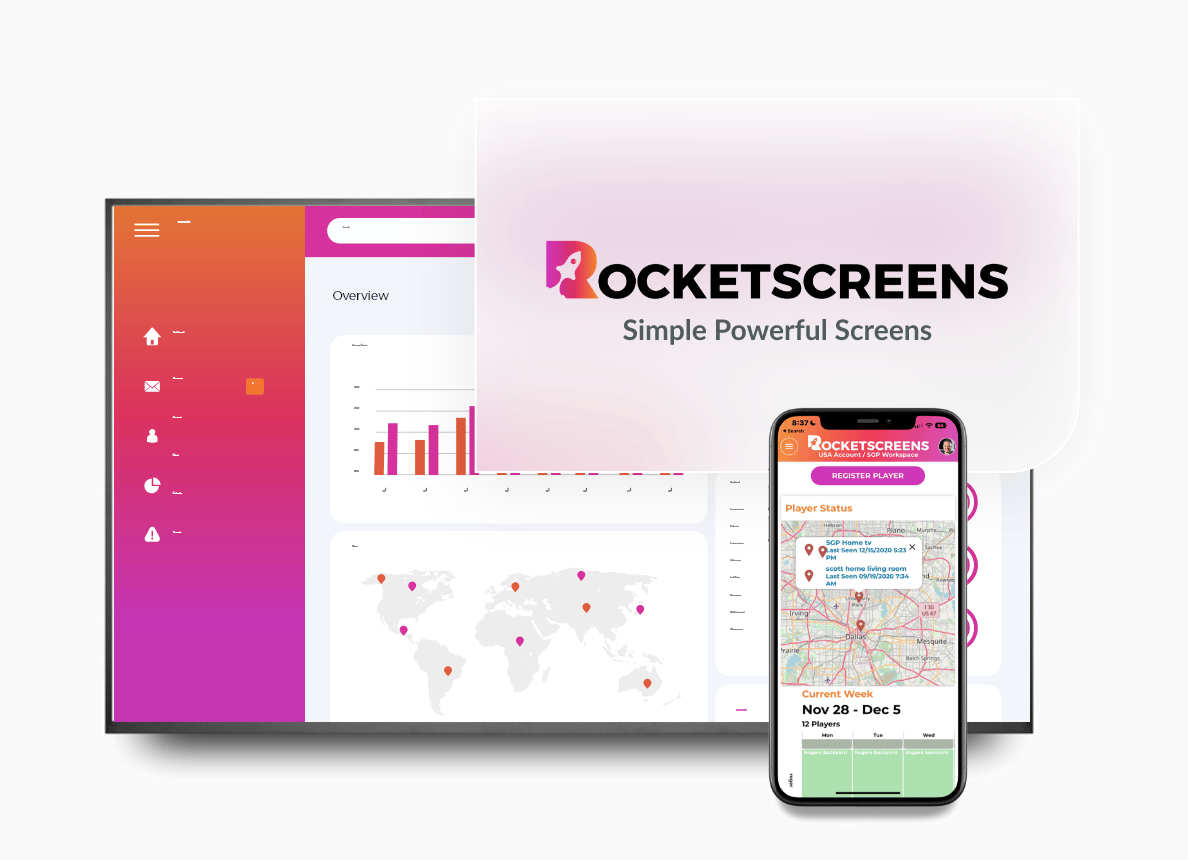
RocketScreens supports real-time content updates across multiple screens from a single dashboard. You can push a sprint countdown to the engineering area, a campaign launch timer to the marketing floor, and a shift timer to the operations zone, all from one interface. The platform's 100+ integrations allow you to pull live data alongside the timer, so teams see the countdown in context alongside KPIs, queue stats, or project status.
Dedicated Timer Applications
Tools like Time Timer and Big Time Clocks are purpose-built for visual countdown displays. They work well for smaller teams or single-room deployments where the requirement is simple and the priority is speed of setup. These tools run on standard displays connected to a PC or tablet and require minimal configuration.
Custom Widgets and Dashboards
Teams using Notion, Confluence, or internal dashboards can embed countdown widgets directly into existing screens. This works best when the countdown is tied to a specific project or campaign that the team is already tracking in that tool.
Best Practices for Using Countdown Timers on Office Screens
A countdown timer is only effective when it is set up with intention. These practices make the difference between a screen that drives behavior and one that gets ignored.
- Tie every countdown to a specific action. "Finish QA before 4:00 PM" performs better than a generic clock with no context. The team needs to know what they are counting down to.
- Keep the display large and readable from a distance. A timer that requires someone to walk up to the screen to read it is not doing its job. Design for the farthest seat in the room.
- Use color changes for urgency, not decoration. A timer that turns from green to yellow to red as time runs out creates a natural escalation signal. Use it deliberately, not as a design choice.
- Avoid multiple competing timers on the same screen. One countdown per screen, per session. If teams see three different timers, they will focus on none of them.
- Assign an owner to every countdown. The timer creates pressure. The owner decides what happens when it hits zero. Without a clear next step, the timer becomes background noise.
- Use sound alerts selectively. Audio cues at the five-minute mark or when the timer ends can be useful in high-energy environments like sales floors or operations areas. In quiet focus zones, sound becomes a distraction. Match the alert behavior to the room's energy level.
Common Mistakes to Avoid
Organizations that struggle to get value from countdown displays usually make one or more of these errors:
Setting Too Many Timers
When every deadline gets its own countdown, the screens become cluttered and teams stop registering any of them. Limit countdowns to the highest-priority item at any given time. Rotate them intentionally rather than stacking them.
No Follow-Through on Zero
A timer that hits zero with no consequence loses credibility quickly. Teams learn that the countdown is decorative. Every timer needs a defined outcome: a standup that ends, a handoff that happens, a report that ships. If the deadline slips repeatedly, the display reinforces a culture of ignoring time rather than respecting it.
Wrong Placement
A timer placed behind the speaker's seat in a meeting room helps no one. A screen mounted so high that it is difficult to read from a seated position is equally useless. Placement should match sightlines for the majority of the people in the space, not for the person managing the display.
Treating It as a One-Time Setup
A countdown display that shows the same stale timer for days loses relevance fast. Effective use requires daily or session-level updates. Organizations using a digital signage platform can automate this through scheduled content, keeping displays current without manual effort.
Business Impact of Countdown Timer Displays
The operational case for countdown displays goes beyond meeting efficiency. The aggregated effect across teams and locations is meaningful:
- Reduced meeting overruns directly reclaim productive hours at scale. A team of 20 people each losing 15 minutes per day to overrun meetings is 25 hours of productivity lost per week.
- Sprint and project velocity improves when teams have continuous awareness of delivery windows. Visible time pressure accelerates prioritization.
- Manager bandwidth is freed when the screen communicates deadline urgency. Repetitive reminders are replaced by a shared, ambient signal.
- Cross-team coordination improves when all groups involved in a handoff are working from the same visible deadline.
For organizations managing multiple locations, the impact multiplies. A centralized digital signage platform like RocketScreens allows operations teams to push synchronized countdowns to every office or facility simultaneously. A global product launch, a quarterly close, or a compliance deadline can be surfaced across every screen in every location without local IT involvement.
Use Cases by Industry
Technology and Software Teams
Sprint countdowns displayed during standups keep development teams aligned with delivery commitments. A release window timer on a shared screen reduces the back-and-forth during final QA and deployment stages.
Financial Services
Trading floors and reporting teams use deadline countdowns for regulatory submissions, end-of-day reconciliation, and client reporting windows. Visibility across the floor reduces the risk of last-minute scrambles.
Healthcare Administration
Shift transition timers, patient scheduling windows, and audit deadlines benefit from visible countdown displays in administrative areas. Staff can pace their documentation and handoff tasks accordingly.
Retail and E-commerce
Campaign launch countdowns, flash sale windows, and inventory close deadlines drive urgency in both marketing and operations teams. A visible timer tied to a promotional deadline keeps campaign preparation on track across creative, media, and logistics functions.
Manufacturing and Logistics
Production cycle timers, shift end countdowns, and dispatch window displays are standard practice in well-run facilities. Countdown screens reduce reliance on supervisors to communicate urgency verbally and keep floor teams synchronized with output targets.
Frequently Asked Questions
Can a countdown timer be displayed on any office TV?
Yes. Any TV with an HDMI input can display a countdown timer using a connected device such as a media player, laptop, or smart display stick. Digital signage platforms like RocketScreens work with standard commercial displays and require no specialized hardware beyond the screen itself.
How do I update the countdown remotely without going to the screen?
A cloud-based digital signage platform lets you update any screen from a browser or mobile interface. You can change the timer, schedule new countdowns in advance, and push updates to multiple screens simultaneously without touching the physical display.
Should I use sound alerts with office countdown timers?
Sound alerts work well in high-energy or open environments like sales floors and operations areas. In quiet work zones or meeting rooms, audio cues can be disruptive. Match the alert behavior to the purpose of the space. Most digital signage and timer tools let you configure alerts independently of the visual display.
How many countdowns should be shown on a single screen?
One countdown per screen per session is the recommended approach. Multiple competing timers reduce the impact of each one and create confusion about which deadline takes priority. If you need to track several deadlines simultaneously, rotate them or use a dashboard layout that gives one timer primary visual weight.
Can countdown timers be integrated with project management tools?
Yes. Many digital signage platforms support integrations with tools like Jira, Asana, Monday.com, and Microsoft Project. When integrated, a sprint end date or milestone deadline from your project tool can automatically populate a countdown on your office screens without manual entry.
Start Making Time Visible Across Your Workplace
A countdown timer on your office TV is not a complex technology investment. It is a straightforward operational decision that improves focus, reduces deadline slippage, and removes the need for managers to repeat urgency cues throughout the day.
RocketScreens makes it easy to deploy countdown displays alongside live data, KPI dashboards, and real-time alerts across every screen in your organization. Whether you are managing a single meeting room or coordinating screens across multiple locations, the platform gives you centralized control with zero complexity at the display level.
Book a demo with the RocketScreens team to see how countdown timers and real-time workplace displays work together in your environment.