Digital signage for multi-location enterprises is a centralized, cloud-managed way to control screens across offices, retail stores, plants, and distributed teams. Instead of relying on static posters or scattered communication channels, organizations can display real-time dashboards, announcements, and operational data on TVs across every location. This ensures that teams are aligned, informed, and able to act on critical information without delays.
What Is Digital Signage for Multi-Location Enterprises?
At its core, digital signage is a network of connected screens controlled through a cloud-based content management system (CMS). For enterprises operating across multiple locations, this system becomes a single source of truth for communication and data visibility.
Rather than managing content locally at each branch, headquarters can control what appears on screens globally while allowing localized customization when needed.
- Centralized control of all screens across locations
- Dynamic content such as dashboards, videos, and alerts
- Integration with business tools and live data sources
- Scheduled playlists tailored by region, department, or time
This structure replaces fragmented communication with a unified, scalable system.
Why Digital Signage Matters for Distributed Organizations
Enterprises with multiple offices or storefronts often struggle with consistency and visibility. Messaging varies by location, and critical data remains buried in systems that employees rarely check.
Digital signage for multi-location enterprises addresses these gaps by bringing communication and data into shared physical spaces.
Key organizational benefits include:
- Consistent messaging: Brand, promotions, and internal updates stay aligned across all regions
- Improved visibility: KPIs and dashboards are always accessible on shared screens
- Operational alignment: Teams work from the same data in real time
- Reduced communication lag: Fewer emails and manual updates
For leadership teams, this means better control. For frontline teams, it means clearer priorities.
Turning TVs Into Real-Time Business Dashboards
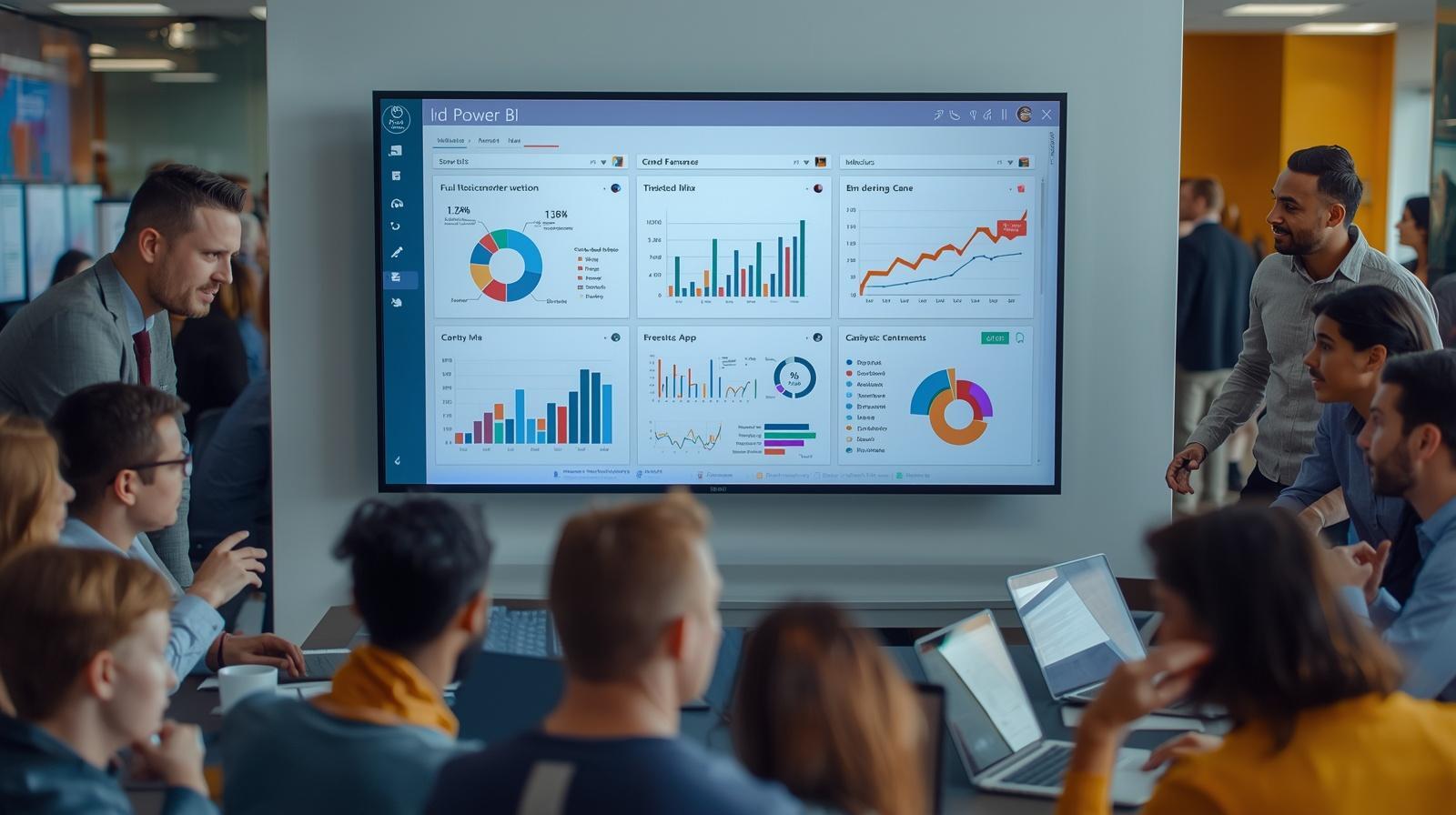
One of the most valuable applications of digital signage is displaying real-time dashboards on TVs. Instead of requiring employees to log into multiple tools, critical metrics are continuously visible.
This includes:
- Sales performance dashboards
- Customer support queues
- Marketing campaign metrics
- Operational KPIs
- Production and logistics data
When dashboards are visible throughout the day, teams can spot trends early and respond faster. This reduces reliance on scheduled reports and reactive decision-making.
With RocketScreens, organizations can stream dashboards from tools like Salesforce, Looker Studio, Tableau, and more directly to screens, ensuring data stays live and actionable.
Core Capabilities of Enterprise Digital Signage
To support complex, multi-location environments, enterprise-grade digital signage platforms must go beyond basic content display.
Key capabilities include:
1. Centralized Screen Management
Manage hundreds of screens across multiple locations from a single interface. Assign permissions by role, region, or department to maintain control without limiting flexibility.
2. Cloud-Based Architecture
A secure cloud infrastructure allows remote updates, real-time synchronization, and minimal on-site maintenance. This is critical for scaling across regions.
3. Real-Time Data Integrations
Integration with BI tools, CRMs, spreadsheets, and APIs ensures that screens display live data instead of outdated content.
4. Smart Scheduling and Playlists
Create content schedules based on time, location, or audience. For example, display corporate dashboards globally while showing local promotions in specific regions.
5. Multi-Location Content Logic
Balance global consistency with local relevance. Headquarters can push universal messaging while regional teams customize content for their audience.
RocketScreens supports all of these capabilities with over 100 integrations and a centralized dashboard built for enterprise scale.
Implementation Steps for Multi-Location Digital Signage
Deploying digital signage across multiple locations requires careful planning and coordination. A structured approach ensures long-term success.
Step 1: Define Objectives
Identify what you want to achieve. This could include improving internal communication, increasing sales visibility, or streamlining operations.
Step 2: Audit Existing Systems
Review current tools such as CRM platforms, BI dashboards, and communication channels. Determine which data should be displayed on screens.
Step 3: Design Content Strategy
Plan what content will be shown, including:
- Dashboards and KPIs
- Announcements and alerts
- Marketing content
- Local information
Step 4: Set Up Infrastructure
Install screens and media players where needed. Ensure stable internet connectivity and proper screen placement for visibility.
Step 5: Configure CMS and Integrations
Connect your data sources and set up playlists, schedules, and user permissions.
Step 6: Pilot and Scale
Start with a few locations, gather feedback, and refine your setup before rolling out across the entire organization.
Industry Use Cases
Digital signage for multi-location enterprises is used across industries to solve different operational challenges.
Retail Chains
- Promotions and digital menus
- Inventory and sales dashboards
- Regional campaign updates
Corporate Offices
- Executive dashboards
- Company announcements
- Employee engagement content
Manufacturing and Operations
- Production KPIs
- Safety alerts
- Shift schedules
Customer Support and Sales Teams
- Live leaderboards
- Ticket queues
- Performance tracking
In each case, the goal is the same: make critical information visible and actionable.
Common Challenges and How to Address Them
While digital signage offers clear benefits, enterprises often face challenges during implementation.
Content Overload
Displaying too much information can reduce clarity. Focus on high-impact metrics and rotate content strategically.
Inconsistent Governance
Without clear rules, messaging can become fragmented. Establish guidelines for content ownership and approval.
Technical Complexity
Managing integrations and hardware across locations can be complex. A platform with centralized control and strong support reduces this burden.
Lack of Adoption
If screens are ignored, they lose value. Ensure content is relevant, updated frequently, and tied to team goals.
Best Practices for Enterprise Deployment
Successful digital signage networks follow a set of proven practices.
- Prioritize real-time data over static content
- Keep layouts simple and easy to read from a distance
- Use role-based dashboards for different teams
- Standardize templates for consistency
- Monitor performance and update content regularly
With RocketScreens, teams can maintain these standards through centralized templates and real-time updates across all screens.
Mistakes to Avoid
Many deployments fail to deliver value due to avoidable mistakes.
- Relying only on marketing content instead of operational data
- Failing to integrate live data sources
- Ignoring local customization needs
- Overcomplicating screen layouts
- Not assigning ownership for content updates
A balanced approach ensures both consistency and relevance.
Frequently Asked Questions
What is digital signage for multi-location enterprises?
It is a cloud-based system that allows organizations to manage and display content across screens in multiple locations from a centralized platform.
How do real-time dashboards on TVs improve performance?
They make key metrics continuously visible, enabling teams to respond quickly to changes and stay aligned with business goals.
Can content be customized for different locations?
Yes, enterprises can maintain global messaging while tailoring content for specific regions, departments, or audiences.
What tools can be integrated with digital signage?
Platforms like RocketScreens integrate with BI tools, CRMs, spreadsheets, calendars, and many other applications to display live data.
How scalable is enterprise digital signage?
With a cloud-based platform, organizations can scale from a few screens to hundreds or thousands across multiple locations without significant complexity.
Drive Alignment Across Every Location
Digital signage for multi-location enterprises brings structure to communication and visibility to data. By turning TVs into real-time dashboards and centralizing content management, organizations can align teams, improve responsiveness, and maintain consistency at scale.
RocketScreens provides a secure, cloud-based platform with 100+ integrations, centralized control, and real-time dashboard capabilities designed for enterprise environments.
If you are looking to improve visibility across your locations, streamline communication, and make data actionable, explore how RocketScreens can support your digital signage strategy.
Book a demo or connect with our team to see how your existing dashboards and tools can be transformed into live, enterprise-wide screen networks.