Facility managers are responsible for keeping buildings safe, efficient and well informed, often across several sites, shifts and tenant groups. Choosing the right digital signage platforms for facility managers has become a practical operations decision, not a marketing one. The right platform turns every lobby, corridor, breakroom and loading dock screen into a controlled communication channel.
This guide explains what facility teams should look for, compares eight leading platforms, and walks through implementation, use cases, common challenges and the mistakes that slow most rollouts down.
What Facility Managers Need From a Digital Signage Platform
A digital signage platform is the software layer that controls what appears on screens across a building or portfolio. It handles content creation, scheduling, device health, user permissions and connections to other business systems.
For facility management, the requirements are different from retail or advertising signage. The priority is not promotion. It is accurate, timely operational information that reaches the right people in the right location.
In practice, a facility-ready platform should support:
- Centralized control of screens across multiple buildings, floors and sites
- Emergency alerts that override scheduled content instantly
- Live data from building, workplace and business systems
- Location-specific content, so each site sees only what applies to it
- Role-based access, so local teams can update content without affecting other locations
- Remote device monitoring, so offline screens are spotted before occupants notice them
Why Digital Signage Platforms Matter for Facility Management
Facility teams still rely heavily on printed notices, email blasts and verbal shift briefings. Each of these has the same weakness: there is no guarantee the message was seen, and updating it takes time.
Operational Impact
Screens placed at points where people naturally pause, such as elevator lobbies, entrances and breakrooms, deliver information to everyone in that space at once. Maintenance windows, HVAC shutdowns, parking changes and cleaning schedules can be updated in minutes instead of reprinted and reposted.
For multi-site portfolios, one team can manage messaging for every location from a single dashboard. That removes the need for site staff to maintain their own notice boards and reduces inconsistency between buildings.
Cost Impact
Printed signage looks inexpensive until the recurring cost is calculated. Industry analysis published through IFMA's FMJ in 2026 estimated that printed signage for a single monthly building event can reach roughly $18,600 per year once design, printing and labor are included.
Labor is the hidden cost. One facility department reported saving 114 hours and more than $4,400 per year in staff time after replacing paper notices with digital displays. Tenant directories tell a similar story, since updating a digital directory costs nothing compared with ordering replacement physical panels.
Safety and Compliance Impact
During a fire alarm, severe weather event or security incident, occupants need clear instructions immediately. A signage platform with emergency override can push evacuation routes, shelter-in-place guidance or all-clear messages to every screen in seconds.
Screens also reinforce routine compliance: PPE requirements, safety KPIs, inspection schedules and incident-free day counters stay visible without depending on someone to update a whiteboard.
How We Evaluated Digital Signage Platforms for Facility Managers
Every platform in this list was assessed against criteria that matter to facilities and operations teams rather than marketing teams:
- Multi-location management: Can one team manage screens across a portfolio with location-level controls?
- Emergency alerting: Does the platform support instant overrides, and can it connect to alerting systems?
- Integrations: Can screens display live data from calendars, dashboards, ticketing tools and workplace systems?
- Security and governance: Does it offer SSO, role-based permissions and enterprise security standards?
- Device monitoring: Can the team see screen health and fix issues remotely?
- Ease of use: Can non-technical facility staff publish content without IT involvement?
The Best Digital Signage Platforms for Facility Managers in 2026
1. RocketScreens
Best for: Facility and operations teams that need live data, centralized control and multi-location scale on one platform.
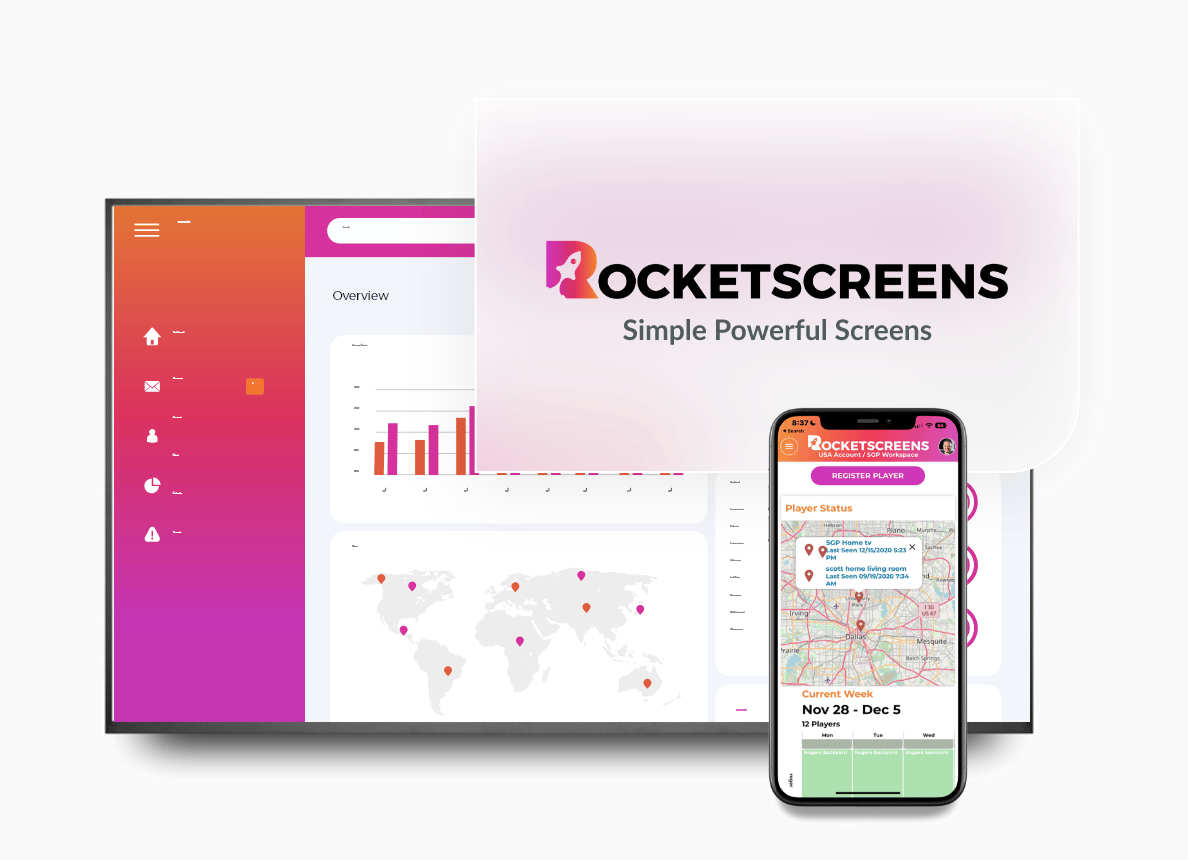
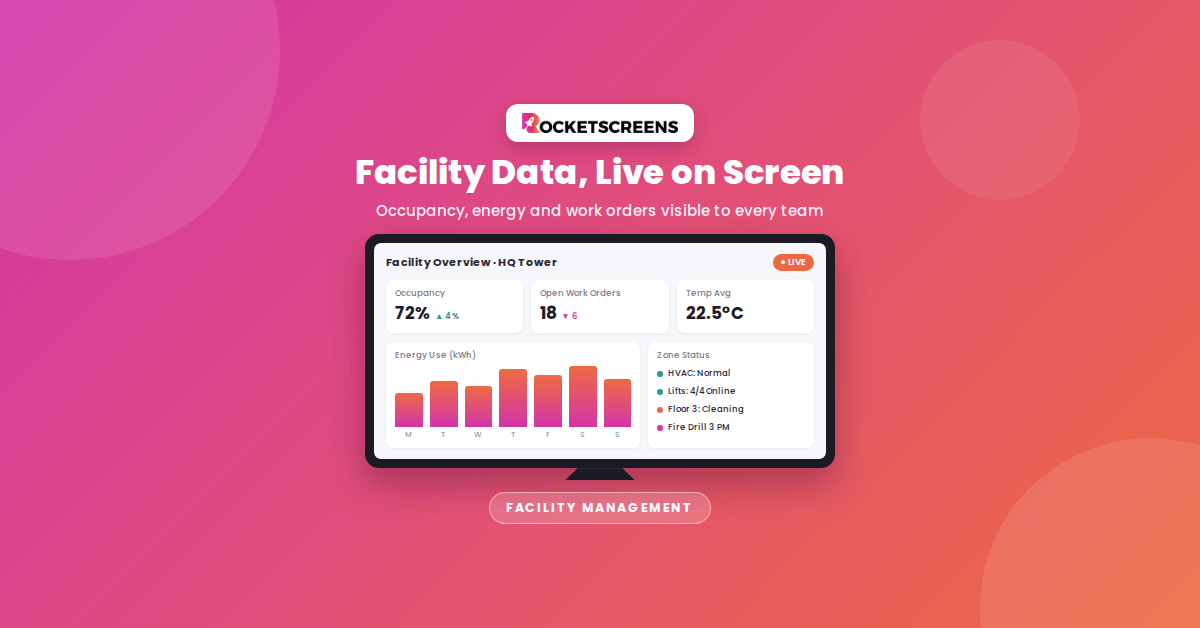
RocketScreens is a secure, cloud-based digital signage platform built for organizations that want screens to show operational information, not just static slides. With 100+ integrations, facility teams can display live dashboards, calendars, ticket queues, weather, KPIs and announcements side by side on the same screen.
Centralized screen management lets one administrator control every display across buildings and regions, while location-specific playlists keep content relevant to each site. Real-time dashboards are useful for maintenance teams tracking open work orders, security teams monitoring visitor flow, and operations leaders reviewing site performance.
- Secure cloud architecture with centralized administration
- 100+ integrations, including BI tools, project management and ticketing systems
- Multi-location scalability for campuses and distributed portfolios
- Enterprise-grade reliability for screens that need to stay on around the clock
Consider: Teams that only need a single screen with static images may not use the full integration depth.
2. Appspace
Best for: Large corporate campuses that want signage, room booking, visitor management and employee communications in one system.
Appspace combines digital signage with space reservation, desk booking and an employee app. For facility teams already managing hybrid workplace scheduling, this consolidation can reduce the number of separate tools in use.
Consider: The broader workplace suite involves more configuration, and pricing is typically quote-based, which makes total cost harder to estimate early.
3. ScreenCloud
Best for: Organizations that need tight content governance across many locations.
ScreenCloud is known for its content control features, including permissions and approval workflows, plus a large app library and enterprise security options such as SSO. It suits central communications teams that need to control what local sites can publish.
Consider: Per-screen costs sit at the higher end of the category, which adds up for large screen fleets.
4. Rise Vision
Best for: Education and corporate environments where emergency override is a deciding factor.
Rise Vision is frequently selected for its emergency alert capabilities, including support for Common Alerting Protocol (CAP) overrides. It works well in ChromeOS and Google Workspace environments.
Consider: Organizations that need deep workplace integrations beyond alerts and templated content should confirm fit before committing.
5. Visix
Best for: Facility teams focused on workplace engagement, room signs and emergency messaging.
Visix has a long history in facility and workplace communications and publishes practical guidance aligned with IFMA's core competencies. Its product range covers digital signage, meeting room signs and emergency alerting for organizational environments.
Consider: Evaluate the hardware and software bundle carefully to understand ongoing costs and flexibility.
6. Korbyt
Best for: Enterprises combining signage, employee communications and workspace management.
Korbyt Anywhere brings digital signage, internal communications and workspace tools into a single cloud platform. It is a strong candidate for enterprises where facilities and internal communications teams share ownership of screens.
Consider: Like other enterprise suites, it is best suited to organizations with the resources to configure and govern a broader platform.
7. Yodeck
Best for: Smaller facility networks and teams without dedicated IT support.
Yodeck is known for easy setup, remote management and a free single-screen plan, which makes it a low-risk way to pilot signage in one building. It supports scheduling and multi-location management as the network grows.
Consider: Its hardware approach is built around its own player devices, and large enterprises may need deeper governance and integration options.
8. OptiSigns
Best for: Facilities with mixed or existing screen hardware.
OptiSigns offers some of the broadest hardware compatibility in the category, supporting many operating systems and media players. It also provides apps for live data and interactive lobby displays.
Consider: Enterprise features and governance controls sit on higher-tier plans, so confirm the plan level needed for your screen count.
Which Platform Fits Your Facility?
There is no single best platform for every building. The right choice depends on your screen count, data needs and who owns the screens internally.
- Live operational data across many sites: RocketScreens
- Signage plus room and desk booking: Appspace or Korbyt
- Strict content approval across locations: ScreenCloud
- Emergency override as the top priority: Rise Vision or Visix
- Small pilot or limited budget: Yodeck
- Mixed existing hardware: OptiSigns
How to Implement Digital Signage Platforms Across Your Facilities
A structured rollout avoids the most common failure: expensive screens showing outdated content. Follow these steps.
- Define communication goals. List the messages facility teams send today, such as maintenance notices, safety updates, visitor information and emergency instructions. Rank them by urgency and audience.
- Map screen locations. Place screens where people naturally pause: elevator lobbies, entrances, cafeterias, breakrooms and shift change areas. Avoid corridors where people walk past quickly.
- Start with a pilot. Begin with two to five screens in one building. Healthcare facilities, including Nationwide Children's Hospital, have used this approach to learn what works before scaling.
- Connect your data sources. Link calendars, work order systems, dashboards and alerting tools so content updates automatically instead of relying on manual edits.
- Set governance rules. Decide who can publish, who approves, and which content is global versus site-specific. Assign content expiry dates to prevent stale messages.
- Test emergency workflows. Run a scheduled test of emergency overrides on every screen, and document who triggers alerts during an incident.
- Scale and measure. Expand to additional sites once the pilot proves value. Track reductions in printing costs, faster message delivery and fewer occupant complaints.
Industry Use Cases
Corporate Offices and Campuses
Display room availability, visitor welcome messages, hybrid work schedules, parking updates and facility service notices. Lobby screens can double as digital directories that update the moment a tenant changes.
Manufacturing Plants and Warehouses
Show live production KPIs, safety metrics, shift schedules and PPE reminders on the floor and in breakrooms. Loading dock screens can display inbound and outbound schedules for logistics teams.
Healthcare Facilities
Support wayfinding, staff announcements, infection control protocols and emergency codes. Screens near elevators and waiting areas reach both staff and visitors.
Education Campuses
Share event schedules, dining hours, campus closures and emergency alerts across multiple buildings from one central team.
Commercial Real Estate
Property managers can publish tenant notices, building amenities, maintenance windows and community events across an entire portfolio, while keeping each building's content separate.
Common Challenges Facility Managers Face
- Content fatigue: The same slides running for weeks get ignored. Live data and scheduled rotation keep screens relevant.
- Unclear ownership: When facilities, HR, IT and communications all share screens without rules, content becomes inconsistent.
- Offline screens: A blank display damages trust in the channel. Remote monitoring is essential for multi-site networks.
- IT security reviews: Signage devices sit on corporate networks, so security teams will review authentication, data access and device management.
- Underestimated running costs: Licenses, content time, maintenance and hardware replacement should be part of the business case from day one.
Best Practices for Facility Digital Signage
- Design content for viewing distance. Use large text, high contrast and short messages that can be read in a few seconds.
- Use screen zones to combine static information with live data, such as announcements alongside a weather feed or open work order count.
- Automate wherever possible. Content pulled from connected systems stays accurate without manual updates.
- Keep emergency templates prepared in advance so no one is writing instructions during an incident.
- Review screen content monthly and retire anything outdated.
- Treat content as a budget line, not an afterthought. Screens only deliver value if someone owns what appears on them.
Mistakes to Avoid When Choosing a Platform
- Buying hardware first: Choose the software platform based on your requirements, then select compatible screens and players.
- Ignoring integrations: A platform that cannot connect to your calendars, dashboards or alerting tools will depend on manual updates that rarely last.
- Skipping the security review: Involve IT early to avoid delays at procurement.
- Launching everywhere at once: Large rollouts without a pilot multiply mistakes across every site.
- Choosing on per-screen price alone: The cheapest license can become the most expensive option if staff spend hours updating content by hand.
Frequently Asked Questions
What is the best digital signage platform for facility managers?
It depends on your priorities. RocketScreens suits teams that need live data and multi-location control, Appspace and Korbyt suit campuses that want workplace booking tools, and Rise Vision or Visix are strong when emergency alerting is the main requirement.
How much does facility digital signage cost?
Most cloud platforms charge per screen per month, with enterprise plans priced by quote. Budget for licenses, screens, media players, installation and the staff time needed to manage content.
Can digital signage display emergency alerts?
Yes. Most enterprise platforms support emergency overrides that replace scheduled content on every screen instantly. Some also connect to alerting systems using the Common Alerting Protocol.
How many screens should a facility start with?
A pilot of two to five screens in high-traffic locations is usually enough to test content, workflows and occupant response before scaling to a full building or portfolio.
Do facility teams need IT support to run digital signage?
IT should be involved in the initial security review and network setup. After that, a cloud-based platform with role-based access allows facility staff to manage content independently.
See How RocketScreens Supports Facility Teams
Facility managers need screens that stay accurate, stay online and reach every site without extra manual work. RocketScreens gives your team secure cloud-based control, 100+ integrations and real-time dashboards across every building you manage.
Book a demo with the RocketScreens team to see how your facility communications, live KPIs and emergency messaging can run from a single platform. Or schedule a consultation to plan a pilot for your first site.