Sales teams live inside HubSpot. Deals, calls, meetings, and revenue numbers all sit there quietly, waiting for someone to open a dashboard. The problem is simple. Most people do not check dashboards often enough. They are busy selling.
HubSpot RocketRankings fixes that gap.
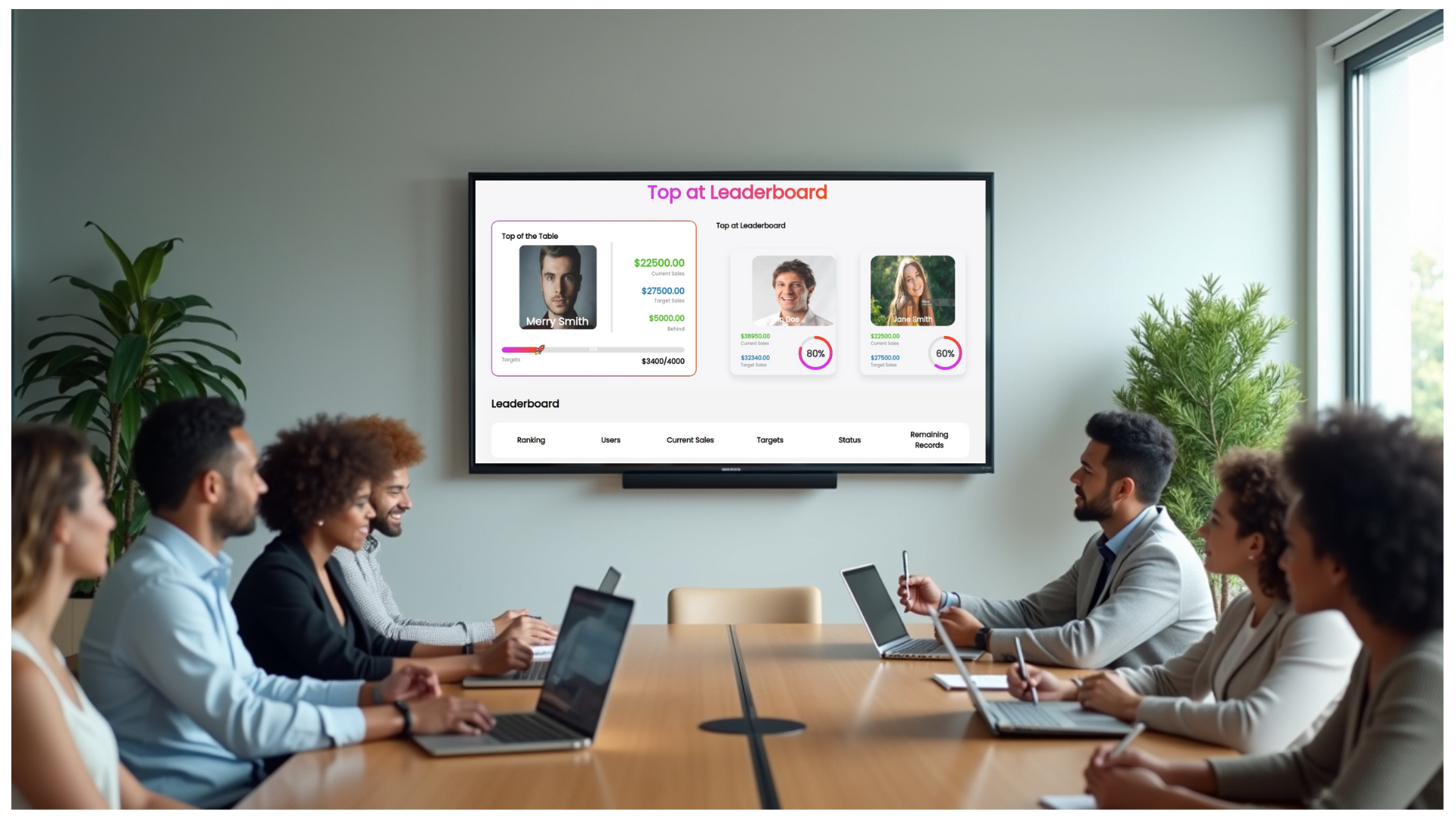
HubSpot RocketRankings is a RocketScreens app that pulls live data from your HubSpot CRM and turns it into clear, visual sales leaderboards shown on TVs and digital displays across your office. The data updates automatically. The screens stay on. The numbers stay visible.
Instead of performance hiding behind logins and tabs, your sales metrics become part of the room.
This page explains what HubSpot RocketRankings does, how it works inside RocketScreens, and why sales leaders, RevOps teams, and frontline reps rely on it to keep performance visible all day.
What Is HubSpot RocketRankings?
HubSpot RocketRankings is a native RocketScreens app designed to display HubSpot CRM data as live, on-screen leaderboards.
It connects directly to your HubSpot account and continuously pulls sales and activity data into RocketScreens. That data is then presented as visual rankings and performance views that run on TVs, monitors, or any supported digital signage screen.
- You decide what to show.
- You decide who sees it.
- The data updates on its own.
No exporting. No screenshots. No manual refresh.
What HubSpot RocketRankings Does
Connects Directly to HubSpot CRM
HubSpot RocketRankings securely connects to your HubSpot account through RocketScreens integrations. Once authorized, it pulls real-time data such as:
- Deals closed
- Revenue totals
- Sales activities
- Calls completed
- Meetings booked
- Pipeline values
- Rep-level performance data
The connection stays active, so screens update as soon as HubSpot data changes.
Builds Live Sales Leaderboards
HubSpot RocketRankings turns raw CRM data into easy-to-read leaderboards that work on large screens. Common leaderboard formats include:
- Top reps by deals closed
- Top reps by revenue
- Activities completed by rep
- Meetings booked today or this week
- Progress toward targets
- Team or regional rankings
Leaderboards refresh automatically throughout the day. No one needs to touch them.
Displays Performance on Office Screens
Once created, leaderboards are added to RocketScreens channels and assigned to TVs or digital signage players. That means your HubSpot metrics appear:
- On sales floor TVs
- In SDR pods
- Near team huddle areas
- Outside leadership offices
- In remote offices using shared screens
The whole team sees the same numbers, at the same time.
Why HubSpot RocketRankings Matters for Sales and RevOps
Visibility Beats Reminders
Sales dashboards only work when people open them. Most reps do not. Not because they do not care, but because selling takes focus. HubSpot RocketRankings removes that friction. The numbers are already visible. No clicks required. When performance lives on screens, it stays top of mind without extra effort.
Motivation Happens in Real Time
Leaderboards change behavior when they are visible. Seeing rankings update during the day creates healthy pressure. Reps can see how close they are to the next spot. Managers can recognize wins the moment they happen. This is not about noise. It is about awareness.
Fewer Status Meetings
When pipeline, activity, and revenue are already visible on shared screens, many update meetings become unnecessary. Teams walk into the day already informed. Managers spend less time asking for numbers and more time coaching.
Cleaner Alignment Between Sales and RevOps
RevOps teams work hard to structure HubSpot data correctly. RocketRankings gives that work a visible payoff. When KPIs are displayed live, everyone understands what matters and how it is measured.
Key HubSpot Metrics You Can Show on Screens
HubSpot RocketRankings supports a wide range of sales and activity metrics. Common examples include:
Deal and Revenue Metrics
- Deals closed today
- Month-to-date revenue
- Quarter-to-date revenue
- Average deal size
- Win rate by rep or team
Activity Metrics
- Calls completed
- Meetings booked
- Emails sent
- Tasks completed
- Activities per rep
Pipeline Metrics
- Pipeline value by stage
- Pipeline coverage
- Deals by owner
- Deal velocity
Target and Progress Views
- Progress toward monthly targets
- Remaining deals needed
- Rep-level goal tracking
All data updates automatically based on HubSpot changes.
Real-World Use Cases for HubSpot RocketRankings
Sales Floor TVs
Sales floors benefit the most from shared visibility. Typical screens show:
- Deals closed today
- Live rep rankings
- Month-to-date revenue
- Team conversion rates
SDR and BDR Pods
SDR teams thrive on activity momentum. Common views include:
- Call counts by rep
- Meetings booked today
- Sequence performance
- Daily or weekly challenges
Management and Leadership Areas
Leadership teams prefer high-level views. Screens in these areas often show:
- Pipeline coverage
- Win rates
- SLA compliance
- Team-level performance summaries
Remote and Hybrid Teams
RocketScreens works across locations. Teams can display the same HubSpot leaderboards in multiple offices or shared spaces, keeping performance aligned even when teams are distributed.
How HubSpot RocketRankings Works Inside RocketScreens
Step 1: Integrate HubSpot with RocketScreens
Start in the RocketScreens Integrations tab. Authorize your HubSpot account using secure authentication. Once connected, RocketScreens can access approved CRM data. This step only needs to be done once.
Step 2: Create a HubSpot RocketRankings App
Inside RocketScreens, create a new app and select HubSpot RocketRankings. From there, configure:
- Data filters
- Teams or users to include
- Metrics to display
- Ranking rules
- Time ranges
You can preview the leaderboard before publishing.
Step 3: Add the App to a Channel
Add the HubSpot RocketRankings app to a RocketScreens channel. Channels control what content plays on a screen and when. You can mix leaderboards with announcements, dashboards, videos, or other apps.
Step 4: Assign the Channel to a Player
Assign the channel to a player connected to a TV or display. Once assigned, the HubSpot leaderboard appears on the screen and updates automatically.
Why RocketScreens Is Built for This Use Case
RocketScreens is designed to securely connect to over 100 applications and display live business data anywhere. HubSpot RocketRankings fits directly into that core mission. Instead of asking teams to change how they work, RocketScreens brings the data they already trust into shared spaces where it actually gets seen.
Benefits of Using RocketScreens for HubSpot Leaderboards
Secure Application Connections
RocketScreens connects securely to HubSpot and other business tools. Permissions are controlled, and data access is managed centrally.
Flexible Screen Management
You control what appears on each screen, when it appears, how often it updates, and who can manage content. This matters as teams grow.
One Platform for Many Data Sources
HubSpot RocketRankings is one app inside RocketScreens. That means you can also display other CRM metrics, internal dashboards, company announcements, and KPIs from other tools. All managed from one place.
Designed for Real-World Offices
RocketScreens works on standard TVs and digital signage players. No custom hardware required. If you already have screens, you can start quickly.
Sales Culture Improves When Numbers Are Visible
Sales culture is shaped by what teams see every day. When performance is hidden, motivation fades. When progress is visible, effort follows. HubSpot RocketRankings supports healthy competition, shared accountability, faster feedback loops, and better recognition moments.
Common Questions About HubSpot RocketRankings
Does the data update automatically?
Yes. Leaderboards refresh as HubSpot data changes.
Can we control which reps or teams appear?
Yes. Filters allow you to choose users, teams, regions, or deal types.
Is this read-only?
Yes. HubSpot RocketRankings displays data. It does not modify CRM records.
Can we use multiple screens?
Yes. You can assign the same leaderboard to many screens or create different views for different areas.