If you are searching for a TelemetryTV alternative, you are probably not unhappy with digital signage itself. You are more likely asking whether a different platform fits your screens, your budget, or your data better. This guide compares ten options by the job each one does best, so you can shortlist two or three instead of sitting through ten demos.
TelemetryTV, now listed as TelemetryOS on several review directories, is a capable cloud signage platform. The alternatives below are not ranked by popularity. They are grouped by who they suit, starting with RocketScreens for teams that put live business data on screens.
Who Looks for a TelemetryTV Alternative?
The people comparing platforms usually fall into one of five groups. Finding your group first makes the list below much shorter.
- IT Directors who need single sign-on, role-based access, and a clear answer on where dashboard credentials are stored
- Operations Managers who want KPIs, queues, and production numbers on the wall without exporting reports
- Marketing and Communications Leaders who need consistent messaging across offices and want non-technical staff to publish content
- Finance and Procurement Teams who are checking whether per-screen cost still makes sense at the current screen count
- Multi-Site Businesses that have grown from a handful of screens to several locations and need central control
Each group weighs the same platforms differently. A tool that is ideal for a single cafe menu board can be the wrong choice for a 40-screen operations floor.
Quick Match: Which Alternative Fits Which Need
- Live dashboards and business app data on office screens: RocketScreens
- Low-cost start with one or a few screens: Yodeck
- Workplace communication with a polished content studio: ScreenCloud
- Wide hardware choice on a small budget: OptiSigns
- Schools and campuses that also need alerts and screen sharing: Rise Vision
- Small teams that want a design-led editor: Play Digital Signage
- Self-hosting and open-source control: Xibo
- Developer-friendly, security-focused players: Screenly
- Large enterprises with complex communication programs: Poppulo
- Retail and public networks that need on-premise options and audience analytics: Navori
The 10 Best TelemetryTV Alternatives
1. RocketScreens
Best for: Organizations that want live dashboards, reports, and workplace updates on screens across one or many locations.
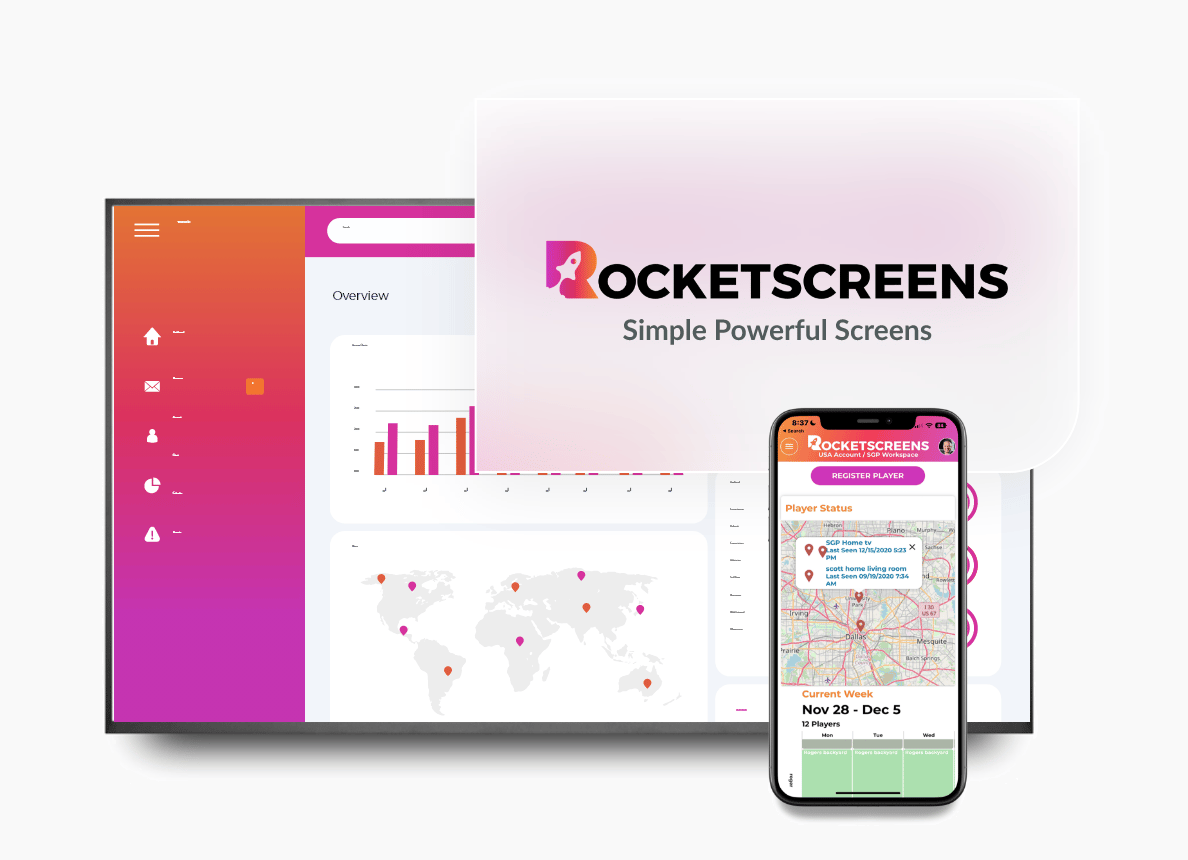
RocketScreens is built around business data. It connects directly to 100+ applications, including Power BI, Tableau, Salesforce, Looker Studio, project management tools, calendars, and news sources. The team that owns the data connects the source once and assigns it to screens.
What stands out for IT and operations teams:
- Real-time dashboards through authenticated integrations, not screenshots or manual exports
- Centralized screen management for every department and site from one console
- Secure cloud-based architecture, with data pulled through authenticated connections
- Multi-location scalability, with the same workflow at five screens or several hundred
- Enterprise-grade reliability with remote visibility into screen status
Consider something else if: your main need is interactive kiosks or a paid advertising network with proof-of-play billing.
2. Yodeck
Best for: Small businesses and teams starting with one or a few screens.
Yodeck is a cloud signage platform known for affordability and quick setup. It offers a free plan for a single screen and is closely associated with Raspberry Pi players. Drag-and-drop playlists and scheduling cover most standard signage needs.
Consider something else if: live data is your priority. Some reviewers note that real-time data widgets and complex layouts take extra steps, and per-screen costs add up as the network grows.
3. ScreenCloud
Best for: Workplace communication teams that want a polished content experience.
ScreenCloud runs on most common screens and devices and offers a library of apps and templates. Higher plans add enterprise controls such as audit logs and uptime commitments. It is a frequent comparison point for TelemetryTV in mid-market evaluations.
Consider something else if: you are price-sensitive at higher screen counts, since its listed starting price sits above several tools in this list.
4. OptiSigns
Best for: Budget-conscious teams that want broad hardware support.
OptiSigns supports a wide range of devices and has a large app catalog and template library. It has a very large review base on software directories and is popular with small businesses that need screens running quickly.
Consider something else if: you need deep governance for a large, multi-department deployment. Test your most complex display during the trial.
5. Rise Vision
Best for: K-12 schools, universities, and campuses.
Rise Vision combines digital signage with wireless screen sharing and emergency alerts in one platform. That mix suits education buyers who want one vendor for hallway displays, classrooms, and safety messaging.
Consider something else if: you are a corporate team focused on BI dashboards and operational metrics.
6. Play Digital Signage
Best for: Small teams that want creative control over layouts.
Play Digital Signage centers on a built-in editor for creating and publishing content to any screen. It is used mostly by small businesses and offers a free single-screen option to get started.
Consider something else if: you need enterprise administration, detailed permissions, or many authenticated data integrations.
7. Xibo
Best for: Technical teams that want open-source software and self-hosting.
Xibo is an open-source signage CMS that can run on your own server or as a hosted service. It appeals to organizations with strict data residency rules or in-house developers who want to control the stack.
Consider something else if: you have no internal resource to maintain servers, updates, and players.
8. Screenly
Best for: IT-led teams that want simple, secure players and API access.
Screenly grew out of an open-source project and still maintains a free open-source edition for Raspberry Pi. The commercial product focuses on ease of use and displaying images, video, and live web pages reliably.
Consider something else if: you want a large library of ready-made business app integrations.
9. Poppulo
Best for: Large enterprises running signage as part of a wider communication program.
Poppulo, formerly Four Winds Interactive, serves global organizations with complex networks, custom applications, and professional services. Pricing is quote-based and deployments are usually led by a dedicated project team.
Consider something else if: you want self-serve setup and a short path from sign-up to live screens.
10. Navori
Best for: Retail chains and public networks that need cloud or on-premise deployment.
Navori is an enterprise signage platform available as a cloud or on-premise solution, with audience measurement and automation features. It suits networks where deployment model and analytics carry as much weight as content tools.
Consider something else if: your screens are internal and your content is mostly dashboards and announcements.
How to Compare These Platforms Fairly
Use the same criteria for every vendor, including your current one. This gives procurement a defensible record and keeps demos from deciding the outcome.
- Integration depth: ask whether each integration is a direct authenticated connection or a generic web embed
- Data freshness: confirm refresh intervals per source and whether you can configure them
- Central management: check screen grouping, bulk publishing, and offline alerts
- Security: request documentation on encryption, credential storage, user roles, and single sign-on
- Hardware: verify support for devices you already own
- Total cost: price the plan with every feature you need, at your expected 12-month screen count
Business and Operational Impact of the Choice
The platform decides how much effort it takes to keep screens accurate. That effort is the real cost, and it never appears on the invoice.
When the fit is right, screens pull from source systems, problems are visible sooner, and every site shows the same message. When the fit is wrong, dashboards go stale, login prompts appear on walls, and staff stop looking.
A screen showing last week's numbers does more harm than a blank one. It teaches people that the screens cannot be trusted.
Implementation Steps for Switching
Step 1: Audit What You Have
List every screen, its location, its hardware, and what it displays. Remove content nobody uses before you migrate anything.
Step 2: Define Requirements by Screen Type
Group screens by purpose, such as lobby, sales floor, operations, and break room. Record data sources and refresh needs for each group.
Step 3: Shortlist Two or Three Platforms
Use the quick match list above. Pick the options that match your primary use case, not the longest feature list.
Step 4: Pilot With Real Data
Run three to five screens for two weeks using your own dashboards. Record every interruption, login failure, and layout issue.
Step 5: Complete Security Review Early
Send vendor security documentation to IT at the start of the pilot. Late findings are the most common reason rollouts stall.
Step 6: Migrate in Waves
Move one location or department at a time. Keep the previous platform live on remaining screens until each wave is stable.
Industry Use Cases
- Corporate offices: pipeline, quota progress, support queues, and company KPIs alongside announcements
- Manufacturing and warehousing: output per shift, safety metrics, and quality alerts on the floor
- Financial services: service levels, market data, and consistent compliance messaging across branches
- Healthcare administration: scheduling and facility updates in staff areas, with patient data kept off shared screens
- Education: event calendars, room schedules, and emergency notices with department-level permissions
- Retail and multi-site operations: store targets and regional rankings in back-of-house areas
Common Challenges When Switching
- Renewal dates arriving before the evaluation is finished
- Existing media players not supported by the new platform
- Playlists and layouts that do not transfer between vendors
- Dashboards behind single sign-on that need a supported connection method
- Guest or segmented networks blocking player traffic
- Local teams preferring the tool they already know
Best Practices
- Test the three or four integrations you depend on, not the full catalog
- Involve IT, operations, and communications from the first meeting
- Design dashboards for viewing distance, with fewer metrics and larger type
- Set refresh intervals per source
- Assign an owner for the platform and for each content group
- Review screen content every quarter
Mistakes to Avoid
- Choosing on entry price without pricing the tier you actually need
- Shortlisting by review count instead of use case
- Skipping the pilot because the demo looked good
- Migrating every screen in one weekend
- Copying old content into the new platform without reviewing it
- Leaving security review until procurement is nearly complete
Frequently Asked Questions
What is the best TelemetryTV alternative for business dashboards?
RocketScreens is a strong fit when the goal is to show live data from tools such as Power BI, Tableau, or Salesforce. It connects directly to 100+ applications and manages every screen from one console.
Which TelemetryTV alternatives have a free plan?
Several vendors offer a free tier for a small number of screens, including Yodeck, OptiSigns, and Play Digital Signage. Xibo and Screenly also maintain open-source editions. Free tiers change, so confirm current terms on each vendor's pricing page.
Is TelemetryTV the same as TelemetryOS?
Several software review directories now list the product under the TelemetryOS name. Check the vendor's own website for current branding, plans, and supported hardware before you compare.
How long does it take to switch digital signage platforms?
A small deployment can move in a few days. Multi-location rollouts usually take four to eight weeks, including a pilot, security review, and staged migration.
Can we keep our existing screens and players?
Often, yes. Most cloud platforms support common players and smart TV systems. Confirm your exact device models with each vendor before signing.
See How RocketScreens Compares on Your Own Data
If your screens need to show live dashboards, reports, and workplace updates, put RocketScreens on your shortlist. Book a demo to see your own data sources connected, or talk to our team about your screen count, integrations, and security requirements. You can also explore the platform and its 100+ integrations to confirm it supports the tools your teams already use.